
Sunset in La Alquería, Jumilla (Murcia). Photo by Rafael Cordones.
I recently found dot-matrix printouts of a program I wrote back in 1985 to teach myself BASIC on a Sony MSX. That same year “Back to the Future” hit theaters. Looking at that code now feels like reading an arcane language. But I wasn’t writing bad code, I was writing code the way it was written back then. Which makes me wonder: in this age of agentic AI we are starting now, what am I doing today that will look equally primitive in another 40 years? Or to quote Huey Lewis from the movie’s soundtrack: “Tell me, doctor, where are we going this time?”
Back in December I visited my mom in Spain, and besides going out walks with her and enjoying the amazing sunsets, I also took some time to go through some old boxes. In one of the boxes I happened to find a folder labeled “INFORMÁTICA” (“computing” in Spanish) containing several papers and printouts and much to my surprise, I found one of the first computer programs I remember writing!
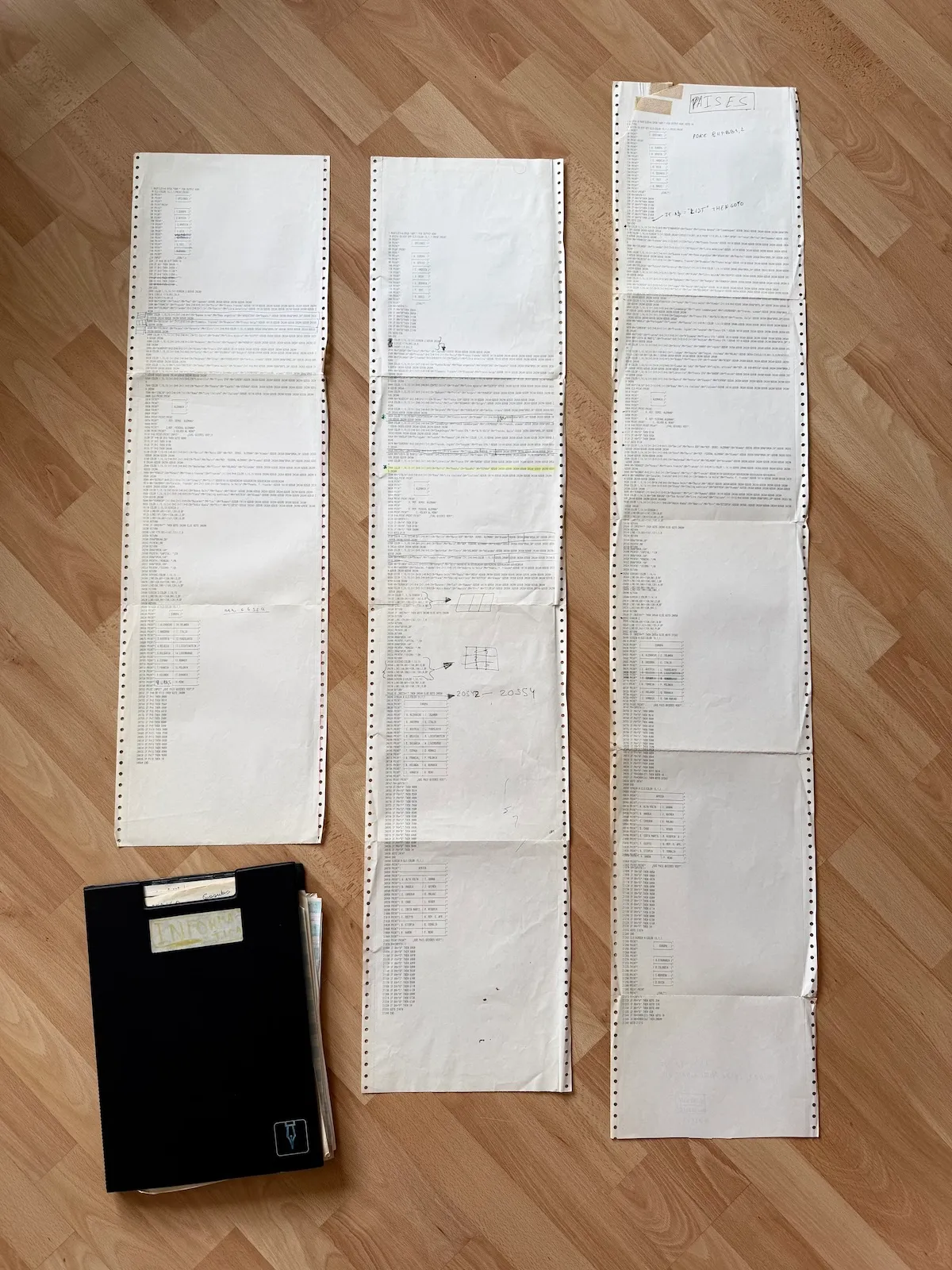
Printouts of the three versions of the program in perforated dot matrix printing paper (YouTube).
Reading that code made me feel like Indiana Jones in Raiders of the Lost Ark in the map room scene… minus the great looks and with significantly more gray hair than Harrison Ford had back then!
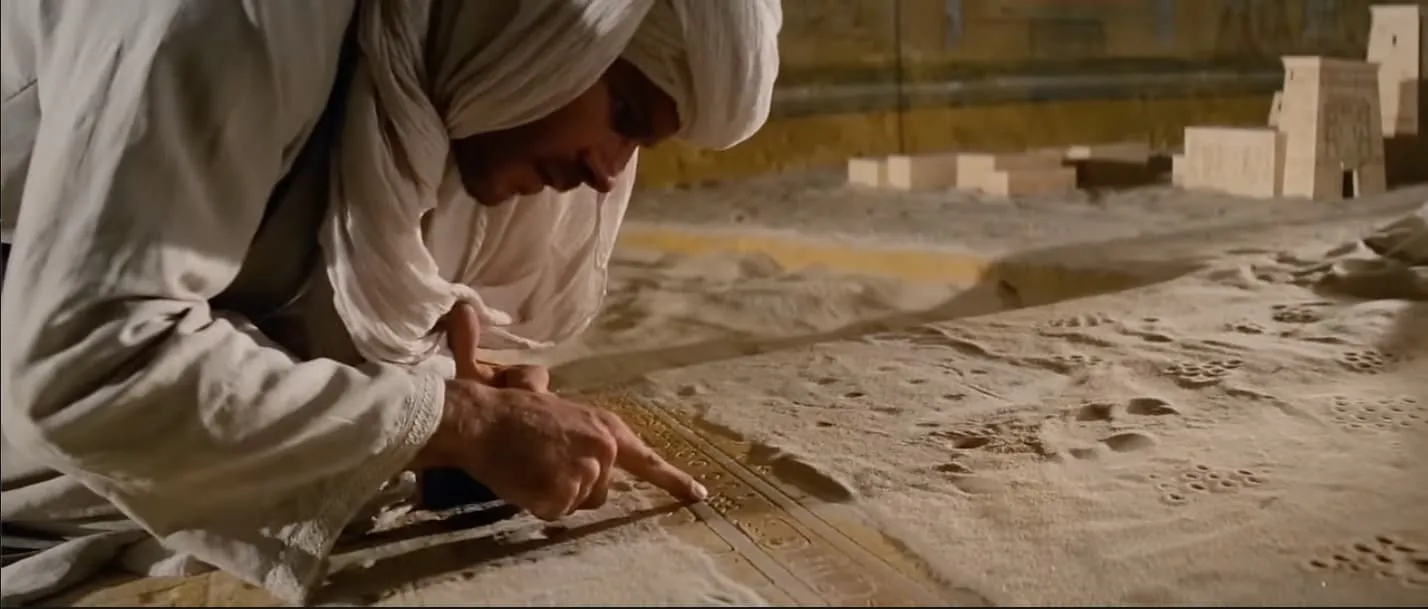
Harrison Ford as Indiana Jones in ‘Raiders of the Lost Ark’ in the map room scene (YouTube).
It’s a program I wrote to learn the capitals, currency and spoken language(s) in countries across the world… and to learn MSX BASIC programming, of course! To this day, I still remember the feeling when I found out about subroutines… a way to not have to type very similar code over and over again! There was no copy-and-paste in those days!
My first computer was a gift from my mom. Thanks mom! It was a Hit-Bit Sony HB-75P MSX computer, and it had 64 KB of RAM which was very short of the 640 KBs Bill Gates supposedly said ought to be enough for anybody.
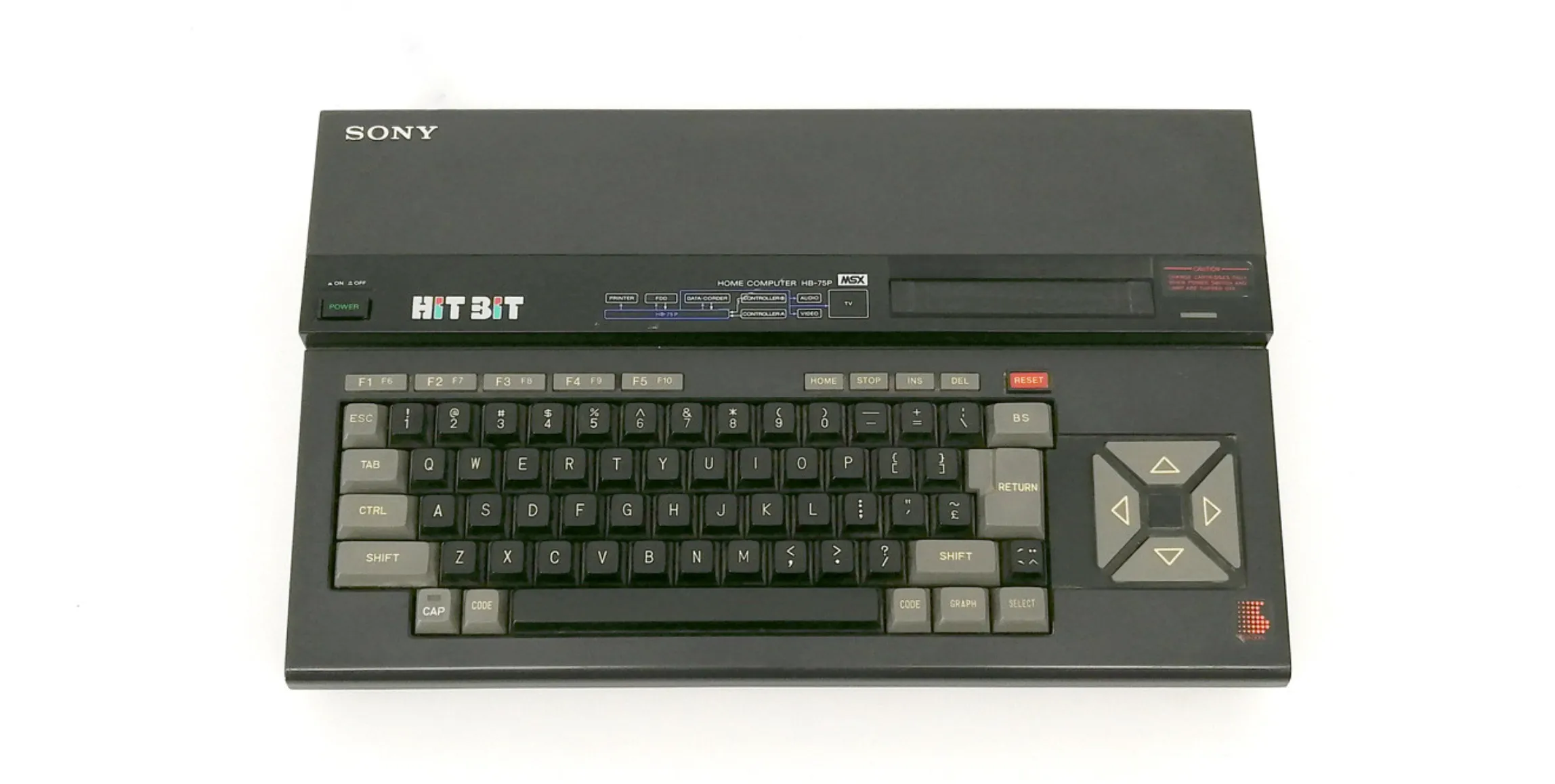
A MSX Hit-Bit Sony HB-75P. Image source: HomeComputer Museum.
The Sony Hit Bit HB-75 came out in 1984, so I probably wrote this program around 1985. That’s 40 years ago!
I actually found three versions of the program. I took some pictures of the third version and with the help of Claude I got the text of the program in no time, which is amazing come to think of it!
Code Review
Let me walk you through the code, and the four issues that jump out when I read it today with my modern eyes.
This is the start of the program where I show the main menu for the user to choose which continent:
1 SCREEN 0:MAXFILES=4:OPEN "GRP:" FOR OUTPUT AS#1:GOTO 10
8 RETURN
10 WIDTH 39:KEY OFF:CLS:COLOR 15,1,1:PRINT:PRINT
20 PRINT"                ----------"
30 PRINT"               | OPCIONES |"
40 PRINT"                ----------"
50 PRINT:PRINT
60 PRINT"                ------------"
70 PRINT"               | A. EUROPA  |"
80 PRINT"                ------------"
90 PRINT"               | B. AFRICA  |"
100 PRINT"               ------------"
110 PRINT"               | C. AMERICA |"
120 PRINT"                ------------"
130 PRINT"               | D. ASIA    |"
140 PRINT"                ------------"
150 PRINT"               | E. OCEANIA |"
160 PRINT"                ------------"
170 PRINT"               | F. TEST    |"
180 PRINT"                ------------"
190 PRINT"               | G. BASIC   |"
200 PRINT"                ------------"
210 PRINT:PRINT"                   ¿CUAL?";
220 A$=INPUT$(1)
230 IF A$="A" THEN 20600
240 IF A$="B" THEN 20850
250 IF A$="C" THEN 21100
260 IF A$="D" THEN 21350
270 IF A$="E" THEN 21600
280 IF A$="F" THEN 21850
290 IF A$="G" THEN 22100
295 GOTO 220
300 END
BASIC programs had line numbers, and the trick was to use line numbers using tens (10, 20, 30) so in case one wanted to add additional logic later there were available numbers to use. In the code above I use GOTO instructions and line numbers to jump back and forth in the program depending on the uppercase letter the user typed in.
In line 220 I read one character from user input and in lines 230 to 290 I compare that character to each of the options and if there are no matches in line 295 I jump back to line 220. If the user, for instance, enters A (Europe) then we jump to line 20600 where I follow the exact same pattern as before, but we show European countries instead of continents as before:
20600 SCREEN 0:CLS:COLOR 15,1,1
20610 PRINT" ┌────────────────────────────────┐"
20620 PRINT" │          EUROPA                │"
20630 PRINT" └────────────────────────────────┘"
20650 PRINT" ┌──────────────┬─────────────────┐"
20655 PRINT" │ A. ALEMANIAS │ J. IRLANDA      │"
20660 PRINT" ├──────────────┼─────────────────┤"
20665 PRINT" │ B. ANDORRA   │ K. ITALIA       │"
20670 PRINT" ├──────────────┼─────────────────┤"
20675 PRINT" │ C. AUSTRIA   │ L. YUGOSLAVIA   │"
20676 PRINT" ├──────────────┼─────────────────┤"
20680 PRINT" │ D. BELGICA   │ M. LIECHTENSTEIN│"
20690 PRINT" ├──────────────┼─────────────────┤"
20700 PRINT" │ E. BULGARIA  │ N. LUXEMBURGO   │"
20710 PRINT" ├──────────────┼─────────────────┤"
20715 PRINT" │ G. FRANCIA   │ P. POLONIA      │"
20720 PRINT" ├──────────────┼─────────────────┤"
20725 PRINT" │ H. HOLANDA   │ Q. RUMANIA      │"
20730 PRINT" ├──────────────┼─────────────────┤"
20735 PRINT" │ I. HUNGRIA   │ R. SAN MARINO   │"
20740 PRINT" └──────────────┴─────────────────┘"
20745 PRINT:PRINT"      ¿QUE PAIS QUIERES VER?";
20747 P$=INPUT$(1)
20750 IF P$="A" THEN 8000
20755 IF P$="B" THEN 9510
20760 IF P$="C" THEN 9560
20765 IF P$="D" THEN 4000
20770 IF P$="E" THEN 6010
20775 IF P$="F" THEN 7000
20780 IF P$="G" THEN 2500
20785 IF P$="H" THEN 8500
20790 IF P$="I" THEN 5500
20795 IF P$="J" THEN 3000
20800 IF P$="K" THEN 7500
20805 IF P$="L" THEN 6020
20810 IF P$="M" THEN 6030
20815 IF P$="N" THEN 6040
20820 IF P$="O" THEN 9000
20825 IF P$="P" THEN 4500
20830 IF P$="Q" THEN 9600
20835 IF P$="R" THEN GOTO 9610
20836 IF P$=CHR$(27) THEN GOTO 10
20837 IF P$=CHR$(24) THEN GOTO 21243
20838 GOTO 20747
20840 END
I nevertheless use a different variable name to store user input P$.
If I entered G for France I would the jump to line 2500 where I define several variables, and then we use GOSUB several times to jump to different parts of the program that take care of painting the flag and displaying the country information:
2500 N$="FRANCIA":Q$="Francés":G=4:Z=15:K=9:I=1:C$="Paris":M$="Franco francés":GOSUB 10110:GOSUB 20240:GOSUB 20290:GOSUB 20260:GOSUB 20200The following subroutine paints the three colored bars of the flag using the colors defined in variables G, Z and K and then jumps back to where the subroutine was called from. Note that this subroutine is specifically for countries that have the same shape as the French flag. There were different subroutines for different types of flags. The one for France and for countries with three horizontal bars looks like this:
10110 COLOR 1,14,14:SCREEN 2
10120 LINE(80,60)-(107,120),G,BF
10125 LINE(107,120)-(134,60),Z,BF
10138 LINE(134,60)-(161,120),K,BF
10140 RETURN
This one paints the border around the flag:
20240 LINE(79,59)-(161,121),1,B
20250 RETURN
This one displays the country information:
20290 DRAW"BM20,140"
20300 PRINT#1,"CAPITAL: ";C$
20310 DRAW"BM20,160"
20320 PRINT#1,"MONEDA: ";M$
20322 DRAW"BM20,180"
20324 PRINT#1,"IDIOMA: ";Q$
20330 RETURN
This one displays the country name on top of the screen:
20260 DRAW"BM100,20"
20265 PRINT#1,N$
20280 RETURN
And finally, this one waits for user input after displaying the country information:
20200 IF INKEY$="" THEN GOTO 20200 ELSE GOTO 20600
20230 RETURN
Thanks to WebMSX I was able to get the code running again!

You can even run the program yourself on your browser with MSXPen here!
Just make sure that you
- wait around 30 seconds until the program automatically loads and the main menu with the continents is displayed
- use the
[SHIFT]key to enter a character in the menus since the program logic does not handle lowercase letters
Reviewing the code from today’s point of view, several issues jump at me.
No named functions
In the code I use IF with a condition and then I use GOTO and GOSUB to jump to a different part of the program. If I used GOSUB I then had the option of using RETURN to go “back” but if I had used GOTO I need to explicitly use another GOTO instruction to go to another part of the program.
This is basically the textbook definition of spaghetti code. Code that is convoluted, hard to understand and therefore, hard to maintain. But that was the way personal computers were programmed in those days, close to the machine.
Back then there were no named functions with names conveying some meaning about what the function did. Only line numbers existed to identify code locations. Which meant you’d have to manually hunt down the corresponding line, read and understand the actual code to find out what the code was doing. Imagine trying to fix a bug where pressing “G” shows Austria instead of France. You’d have to trace through dozens of line numbers, mentally keeping track of where each GOTO sends you. Now imagine the program getting 10x larger… or maybe don’t. Your head may explode!
Today, we just don’t jump to a line number, we use functions to create “mini-programs” with clear boundaries. We use parameters to define what information a function needs, and we pass arguments when we actually run it:
def display_country_information(country_name, capital, currency, language):
    # country_name, capital, currency, language are the parameters of this function
    print(f"Country: {country_name}")
    print(f"Capital: {capital}")
    # ... and so on

...
# 'Austria', 'Vienna', 'EUR', 'German' are the arguments we pass to the display_country_information function
display_country_information('Austria', 'Vienna', 'EUR', 'German')
Global Variables
All variables used in the program “live” in the same “place”… in the same namespace, i.e. they are global variables. “Namespace” is a technical word for ‘shared place where variables live’. This means that changing a variable in one part of the program can affect the behavior of some other unrelated part of the program.
In my BASIC code, I used N$ for country name, C$ for capital, and G for a color value. If I accidentally reused G somewhere else in the program for, say, a loop counter, the flag would suddenly render in the wrong color… and good luck figuring out why!
Using global variables causes what in technical lingo is called “shared mutable state” and as a program grows in size and new developers are added to the project global variables make understanding the code and adding changes exponentially more difficult.
In the movie ‘Deconstructing Harry (1997)’, Woody Allen’s character takes an elevator to Hell with several stops in between. For programmers, ‘Shared Mutable State’ would fit right in as on of the stop names:
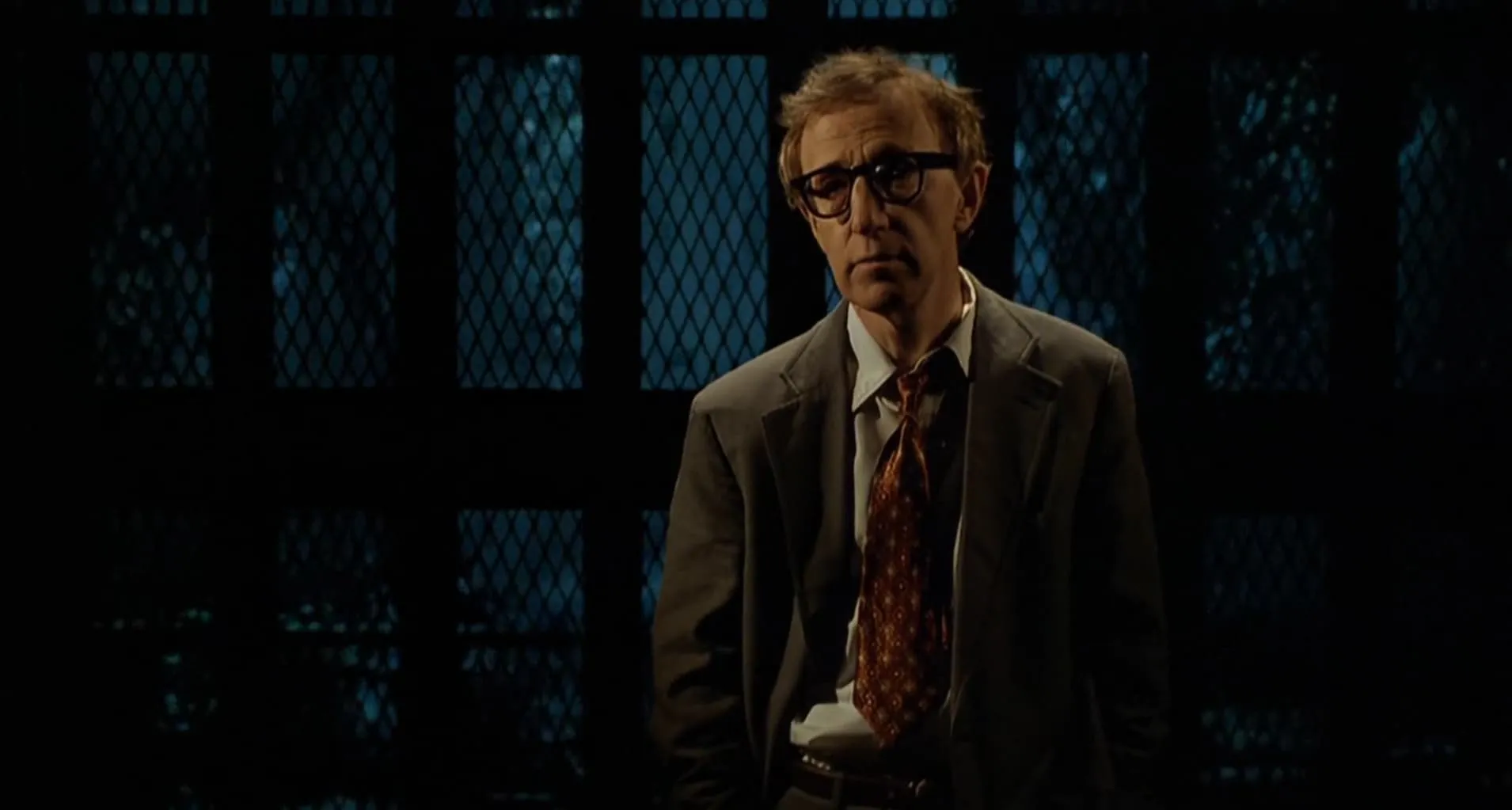
Woody Allen as Harry in the elevator to Hell scene (YouTube) from ‘Deconstructing Harry (1997)’.
Today we are used to define variables inside functions so that they are “visible” within that secific function:
def display_country_information(country_name, capital, currency, language):
    user_input = input("Press Enter to continue...")  # This variable only exists here
    # ...

# This is a completely separate variable—no collision!
user_input = input("Select a country: ")
Drawing Menus Character by Character
I use quite a bit of lines of code to build the screen character by character for each menu entry. Take this example of the main menu:
20 PRINT"                ----------"
30 PRINT"               | OPCIONES |"
40 PRINT"                ----------"
50 PRINT:PRINT
60 PRINT"                ------------"
70 PRINT"               | A. EUROPA  |"
80 PRINT"                ------------"
90 PRINT"               | B. AFRICA  |"
100 PRINT"               ------------"
110 PRINT"               | C. AMERICA |"
120 PRINT"                ------------"
130 PRINT"               | D. ASIA    |"
140 PRINT"                ------------"
150 PRINT"               | E. OCEANIA |"
160 PRINT"                ------------"
170 PRINT"               | F. TEST    |"
180 PRINT"                ------------"
190 PRINT"               | G. BASIC   |"
200 PRINT"                ------------"
210 PRINT:PRINT"                   ¿CUAL?";
Today in a language like Python, we would have one method that would take care the grunt work of centering any number of menu entries on the text screen and we could re-use it to display all the menus accross the program:
def show_menu(title, options, prompt, width=30):
    border = f"+{'-' * (width - 2)}+"
    header = f"|{title:^{width - 2}}|"  # ^  centers the text

    print(f"{border}\n{header}\n{border}\n")

    for key, description in options:
        print(f"  {key}. {description}")

    print()
    return input(f"{prompt} ")


continents = [
    ("A", "EUROPA"),
    ("B", "AFRICA"),
    ("C", "AMERICA"),
    ("D", "ASIA"),
    ("E", "OCEANIA"),
]

continent_selection = show_menu("OPCIONES", continents, "¿CUAL?")
print(f"You selected continent: {selection}")

countries_europe = [
    ("A", "ALEMANIAS"),
    ("B", "ANDORRA"),
    ("C", "AUSTRIA"),
    ("D", "BELGICA"),
    ("E", "BULGARIA"),
    ("G", "FRANCIA"),
    ("H", "HOLANDA"),
    ("I", "HUNGRIA"),
    ("J", "IRLANDA"),
    ("K", "ITALIA"),
    ("L", "YUGOSLAVIA"),
    ("M", "LIECHTENSTEIN"),
    ("N", "LUXEMBURGO"),
    ("P", "POLONIA"),
    ("Q", "RUMANIA"),
    ("R", "SAN MARINO"),
]

country_selection = show_menu("EUROPA", countries_europe, "¿QUE PAIS QUIERES VER?")
print(f"You selected country: {selection}")
Mixing data and code
The information for each country is in the code itself:
2500 N$="FRANCIA":Q$="Francés":G=4:Z=15:K=9:I=1:C$="Paris":M$="Franco francés":GOSUB 10110:GOSUB 20240:GOSUB 20290:GOSUB 20260:GOSUB 20200This means that adding/updating/removing country information required changing the code! Today we would have this information in an external file. Like a CSV file
# countries.csv
name,capital,currency,language,flag_colors
Francia,Paris,Franco francés,Francés,"4,15,9"
which the main program would then load:
import csv

with open('countries.csv') as f:
    countries = list(csv.DictReader(f))
But guess what… the concept of files was non-existing for me back then! One had to either type each program every time or record it and later load it to and from a cassette tape. A process that took several minutes and failed often enough!
The Future of Programming
Looking at these issues above, I could dismiss them as the quirks of an obsolete language. But that misses the point. Every one of these issues was once a reasonable solution given the constraints of the time. 64 KB of RAM. No files. And a language close to the machine and designed to be approachable by beginners.
Which makes me wonder: what constraints am I working within today that I don’t even notice? What will look obviously wrong about 2026-era programming when viewed forty years from now?
These past weeks, I’ve been using Claude Code to write code for me. Me describing what I want in plain English, Claude proposing a plan, iterating back and forth and reviewing what it generates. It already feels like a different kind of programming. Sitting here in 2026, looking at my own BASIC code from 1985, I can’t help but ask: which concepts do I take for granted today that will seem as arcane as GOTO 20600 today?
This is exactly the topic Bret Victor touches in his 2013 talk, “The Future of Programming” which he delivers, brilliantly, as if he were presenting it back in 1973… using transparencies and a simulated overhead projector!
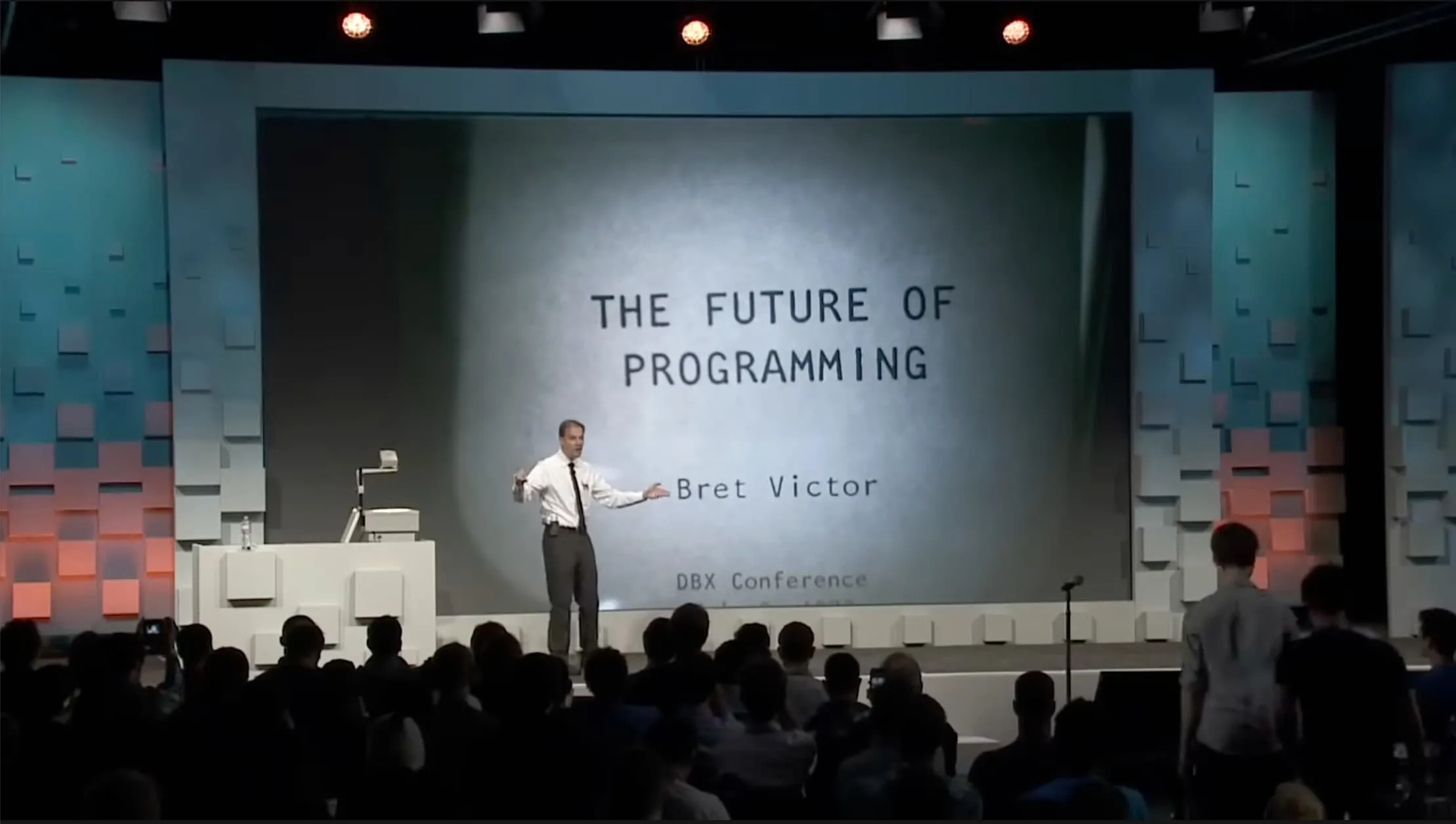
Bret Victor’s talk “The Future of Programming” (YouTube).
Some of the things he says in that talk that tie up with this article:
Technology changes quickly, people’s minds change slowly. So it’s easy to adopt new technologies. It can be hard to adopt new ways of thinking.
The most dangerous thought that you can have as a creative person is to think that you know what you’re doing. Because once you think you know what you’re doing, you stop looking around for other ways of doing things. And you stop being able to see other ways of doing things. You become blind.
I think you have to say, we don’t know what programming is. We don’t know what computing is. We don’t even know what a computer is. And once you truly understand that, and once you truly believe that, then you’re free. And you can think anything.
After re-watching the talk, I realized that even after all these years, we are still doing computing via textual representation of code. Fourty years ago, I was typing BASIC statements on my computer and now I still type code into my editor… or I ask Claude Code to “type” it for me.
It’s definitely worth checking Bret’s work on Dynamicland where computation is not represented by code on a screen but in real world physical objects:
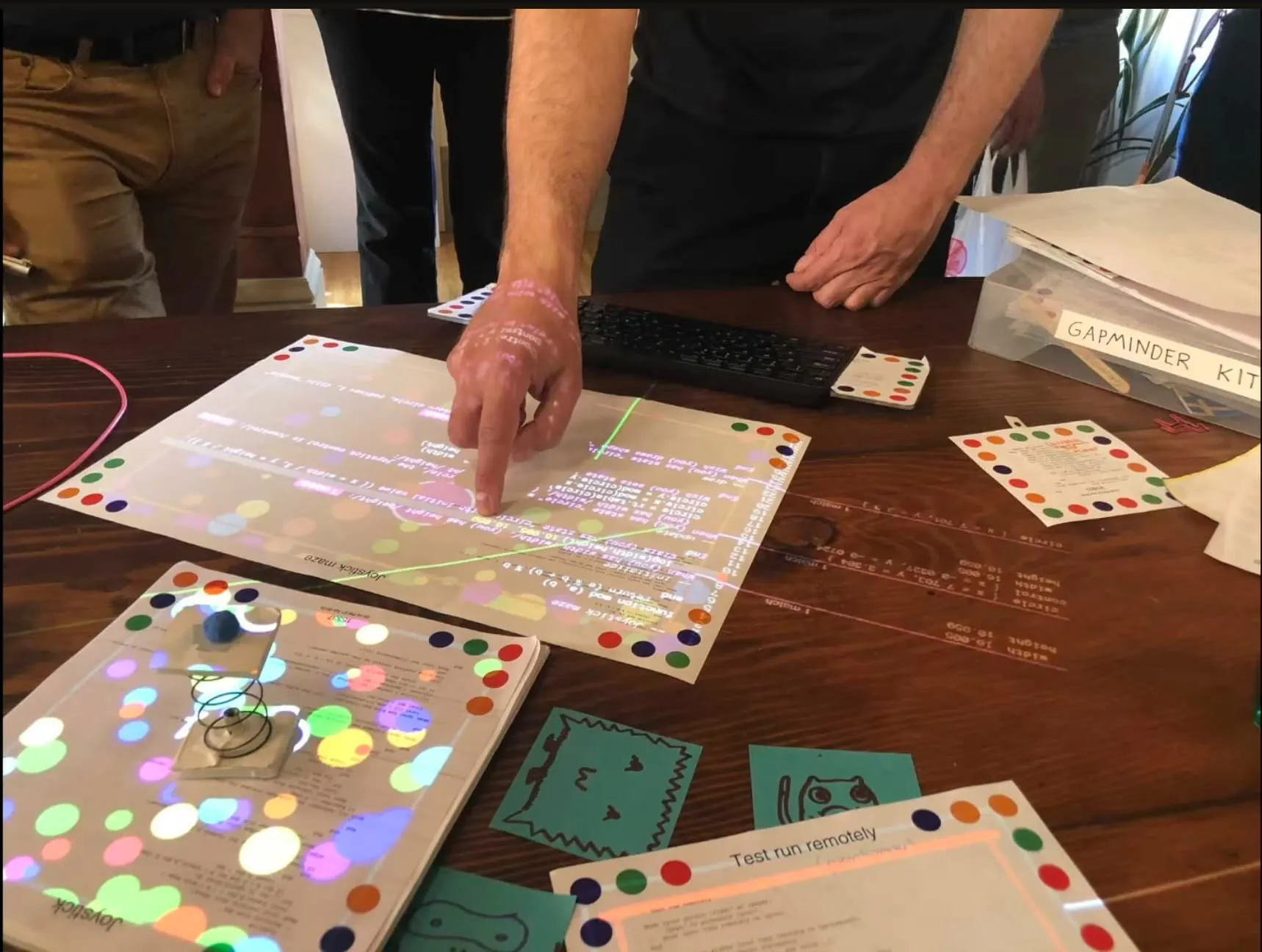
“Dynamicland intro, Aug 2024” (YouTube).
Back to the Future
The summer of 1985 was really special. And not just because I figured out subroutines! That summer, the movie “Back to the Future” arrived at the cinemas. I watched it three times that summer! Those were the days when you had to queue to get your tickets… and you could only watch new movies at the cinema!
The film’s soundtrack introduced the world to Huey Lewis and The News. One of their songs in the soundtrack, “Back in Time” opens with the line: “Tell me, doctor, where are we going this time? Is this the ’50s or 1999?”
Funny how time shifts our frame of reference. In 1985, “the ’50s” meant the 1950s. Today, “the ’50s” conjures 2050, a future where, if current trends hold, AI agents might have rendered programming (and many other professions) as we know it today unrecognizable. Maybe in 24 years, if I am still here, I will look at a Git repository with my code from today and wonder why ever typed instructions character by character. Why did I even think about functions and variables at all.
If could take a time machine today, powered by a fusion reactor fed from my local node_modules directory and go back in time to 1985, meet my younger self painstakingly typing BASIC code on my Hit Bit Sony, grab him and travel to the future… to both our futures that is… to 2050. Would we had will have found out that code is no longer needed? That the code we are so used to, has turned into the machine code or the assembler no one ever looks into today anymore.
Code? Where we’re going we don’t need code.
Or do we?
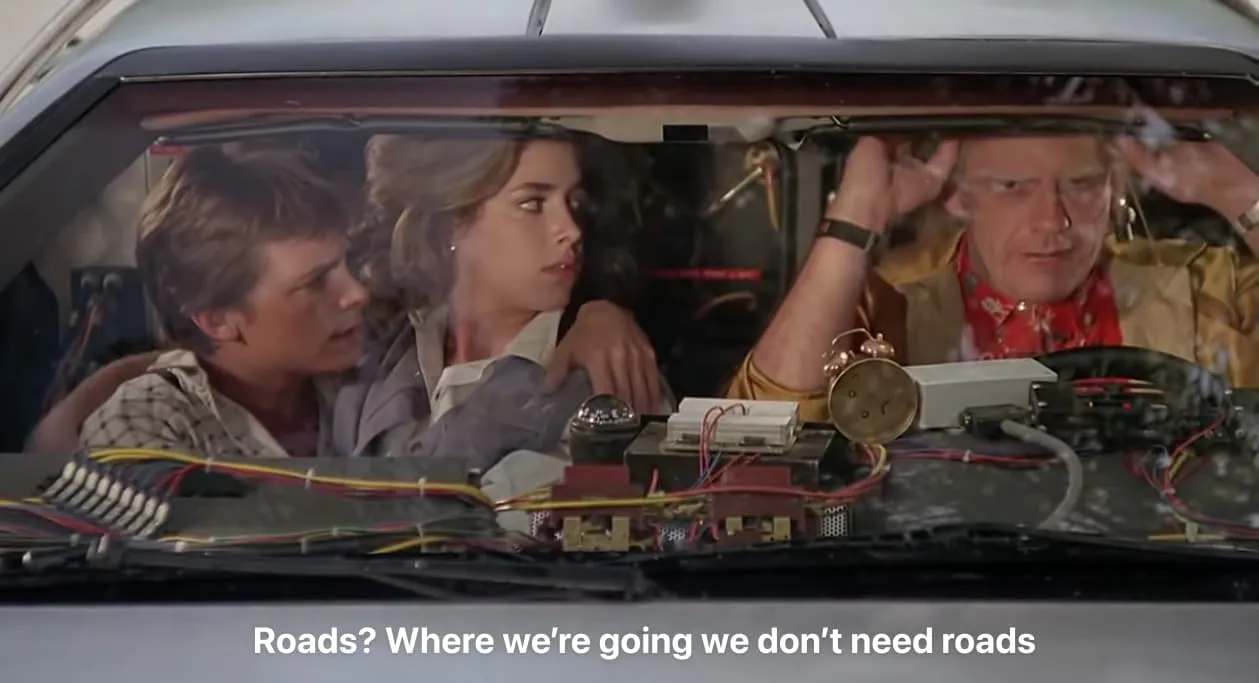
Final scene (YouTube) from ‘Back to the Future’.
This article was initially drafted by me. Claude and Gemini were used to proofread, provide feedback and improvement suggestions. Humans were also involved in reviewing it. Thanks all!